Comparison · Editing
The best estate agent photo editing software: our top 6 (2026)
Choosing photo editing software for estate agents means choosing between six ways of working: an AI built for the agent, an AI built into a property platform, an AI for photographers, a decluttering tool, a human retouching service, or a photographer’s desktop program. Maiso publishes the first tool in this ranking, and we say so up front. For each of the other five you will find the price we read on its official page, what it does well, what it does not do, and the real cost of a property with twenty photos.
By Teddy Verneuil, founder of Maiso · Updated

The top 6 at a glance
| Rank | Tool | Who it is for | Entry price | What you are billed for | Free trial |
|---|---|---|---|---|---|
| 1 | Maiso | The agent who shoots on a phone | £35 excl. VAT / month | Credit (1 for a correction, 2 for a simulation) | 10 credits, no card |
| 2 | PropertyBox | The agency that wants photos, EPCs and floor plans in one place | £19.99 + VAT / month | Listing, with a photo allowance | Free trial |
| 3 | Autoenhance.ai | The photographer who shoots brackets | £23 / month (offer), £46 list | Image | Free watermarked previews |
| 4 | PhotoClear | Decluttering a few rooms | $25 / month | Credit | 10 credits, no card |
| 5 | BoxBrownie | Anyone who wants a human retoucher | €1.40 / image | Image, per order | Not shown |
| 6 | Lightroom | The property photographer | £11.99 incl. VAT / month | Subscription, unlimited | Not shown |
Prices read on the official pages on 9 October 2026, in the currency each page shows. Where a page does not say whether its prices include VAT, we have not guessed.
How we built this ranking
Every comparison that ranks for this search is written by a vendor, and each one puts itself first. This one is no exception: Maiso is our product. Rather than claim a neutrality nobody would believe, we give our criteria, so that you can redo the ranking your own way.
- Built for an estate agent. An agent buys time, a photographer buys control. A tool that asks you to learn sliders loses places here, even if it is excellent.
- The real cost of a property. Not the entry price, but what twenty corrected photos cost once the billing unit is brought down to the photo.
- A faithful result. A listing photo must show the room the buyer will visit. A tool that redraws the room is a risk, not a feature.
- Simulations that are labelled. A piece of furniture added or a wall repainted should carry its label into the listing (see what UK rules allow when editing listing photos).
- Privacy. Faces and number plates in a photo are personal data. We note which tools blur them.
- A file ready for the portal. JPEG, landscape and the right size avoid a problem at upload (see the Rightmove and Zoopla photo size requirements).
- Speed. A photo ready the same evening beats a perfect photo the next day.
We did not score how beautiful the results are: it depends too much on the starting photo and on taste. Every vendor offers some form of trial, and that judgement is best made on your own photos.
1. Maiso: built for the agent who shoots on a phone
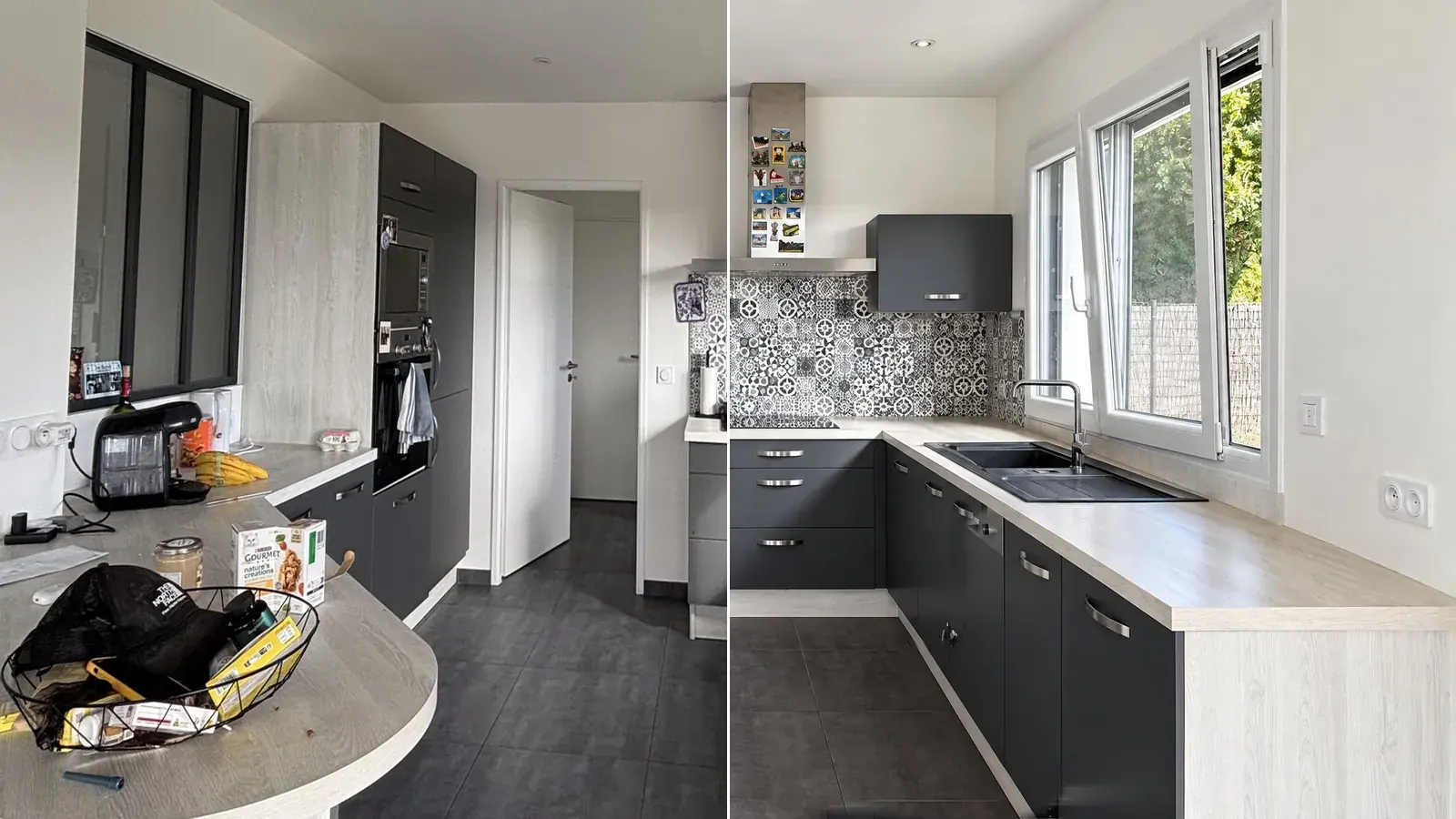
Maiso starts from an observation: most listing photos are taken on a smartphone, between viewings, by an agent who has neither the time nor the wish to learn a photographer’s software. You upload the photos from the pavement, tick what you want, and the result arrives next to the original two minutes later. Nothing to install: the studio opens in the browser, on a phone or a computer.
The tools cover what a listing asks for: Enhance (light, colours and verticals in one click), Declutter the room, Empty the room, Stage for virtual staging, Transform for walls and floors, the Magic brush to erase one specific object, and exterior edits for sky, lawn, pool water and dusk. Each is shown on real photographs on our page about AI photo editing for estate agents.
Two choices set it apart. The tilt is measured before any edit: only a photo that leans is straightened, with a purely geometric instruction, and every result is compared with the original. And every simulation is flagged in the studio, with a badge and in the history, so you know which photos to caption. You can also add your own logo to exports, as an option. Faces and number plates are blurred automatically, at no extra credit.
- Who it is for
- Estate agents, letting agents and agencies who shoot their own properties.
- Price
- £35 excl. VAT / month150 credits. £79 for 500, £179 for 1,200. One credit per correction, two per simulation, two months free on a yearly plan.
- Free trial
- 10 free creditsNo card needed.
Strengths
- A credit costs about 23p on the Solo plan, 16p on Team and 15p on Agency
- The original never moves: every version sits next to it
- An automatic check flags a result that strays too far from the original
- Photos stored in the European Union, never used to train a model
Limits
- No video and no virtual tour
- No human retoucher: everything is automatic
- No floor plans
Try it free10 free credits, no card needed.
2. PropertyBox: the platform built around the UK listing
PropertyBox is less an editor than a marketing platform for agencies: auto-enhanced photos, AI object removal, dusk shots and GDPR blurring sit next to automated EPC look-ups, floor plans, listing descriptions and social media campaigns. It is the most British tool in this ranking, and the only one that treats the EPC as part of the job.
The price follows the number of listings you run through it. Each plan includes a photo allowance (45, 100, 250, 500 or 1,000 photos a month), and extra photos cost between 18p and 40p. Virtual staging does not appear among its photo features: furniture is a floor plan feature.
- Who it is for
- Agencies that want photos, EPCs, floor plans and campaigns in one place.
- Price
- £19.99 + VAT / month3 listings and 45 photos. £39.99 for 7 listings and 100 photos, £79.99 for 15 listings and 250 photos, £129.99 and £199.99 above. Floor plans £5 a listing, EPC order £59.99.
- Free trial
- Free trialOffered on the pricing page.
Strengths
- EPC look-ups and floor plans in the same place
- Faces and number plates blurred, object removal included
- A mobile app and portal integrations
Limits
- The price depends on the number of listings, not only on photos
- Virtual staging is not listed among its photo features
3. Autoenhance.ai: the fastest route from brackets to a finished image
Autoenhance.ai is built for photographers who shoot bracketed exposures: it merges them into an HDR image and enhances the result, in up to 6K resolution. Its pricing page lets you preview every enhancement for free, with a watermark, and only charges for the images you download.
For an agent who shoots on a phone, most of that power goes unused: there are no brackets to merge. It remains a quick way to lift the light on a single image, at a price per image that is easy to read.
- Who it is for
- Photographers and agents who shoot with a camera and bracketed exposures.
- Price
- £23 / month100 images, half the £46 list price during a limited offer. Extra images £0.23. Pay-per-image and Enterprise options also exist.
- Free trial
- Free previewsWatermarked enhancements, no card and no account.
Strengths
- HDR from brackets, up to 6K
- A clear price per image
- Unused credits carry over to the next month
Limits
- Built for photographers rather than agents
- The offer price is temporary: the list price is £46 for the same 100 images
4. PhotoClear: decluttering, one room at a time
PhotoClear is one of a family of small property apps from the same publisher, each doing one job: auto-enhance, decluttering, day-to-dusk, virtual staging and HDR are separate tools. PhotoClear handles the clearing of bins, cars, worktops and personal items, plus a blue-sky swap, noise reduction and brand presets.
The upside is simplicity: you open the tool that does the job you need. The downside is that a full property can mean several apps and several sets of credits, and the prices are shown in dollars.
- Who it is for
- Agents who mostly need to clear lived-in rooms and exteriors.
- Price
- $25 / month40 credits, about $0.63 each. $79 for 130 credits, $199 for 350. A light declutter costs from one credit.
- Free trial
- 10 free creditsNo card needed.
Strengths
- Decluttering and object removal are the whole point of the tool
- Brand presets to keep a house style
- Free credits to start
Limits
- Prices in dollars
- Staging, HDR and dusk are separate apps with their own credits
5. BoxBrownie: editing done by hand
BoxBrownie is not software: it is a service. You send your photos, retouchers work on them and send them back. It is the only option in this ranking where a human looks at every image, and that is a real argument for a high-end property.
The price follows: billing is per image and per treatment. On the page we read, enhancement is €1.40 an image, object removal €3.50 to €7, and virtual staging €21 a photo. Because a person does the work, it is never instant, and it cannot put a listing online the same evening.
- Who it is for
- High-end properties, and agencies that want a human eye on every photo.
- Price
- €1.40 / imageFor enhancement, in the euros the page shows. €3.50 to €7 for object removal, €3.50 for day to dusk, €21 for virtual staging.
- Free trial
- Not shownNo trial on the pricing page.
Strengths
- A human retoucher on every image
- Pay only for what you order, with no subscription
- Floor plans and virtual tours as well
Limits
- A delay between ordering and receiving, so no same-evening listing
- The bill grows quickly with staging and removals
6. Lightroom: the photographer’s tool, with time as the price
Adobe Lightroom is the reference for professional property photographers: batch editing, presets and excellent processing of RAW files. For an agent, it is an editor rather than a shortcut: you learn it, you set it up, and you spend the editing time yourself.
Its price is the lowest in this ranking, because the cost is not on the invoice but in the hours. It is worth it for someone who edits dozens of photos every week and enjoys the craft, and much less for someone who wants a photo ready between two viewings.
- Who it is for
- Property photographers who edit large volumes of RAW files.
- Price
- £11.99 incl. VAT / monthLightroom with 1TB of storage, annual plan billed monthly. Lightroom, Photoshop and storage together from £19.97.
- Free trial
- Not shownNo trial on the plan page we read.
Strengths
- Unlimited photos for a fixed price
- The reference for batch editing and RAW files
- Total control over every setting
Limits
- A learning curve and your own editing time
- No decluttering or virtual staging of a room on its own
The real cost of a property with twenty photos
Entry prices are not comparable: one is a subscription, another is billed per image. Brought back to a single property with twenty photos edited once, the picture changes.
| Tool | Cost of 20 photos | How we worked it out |
|---|---|---|
| Maiso | about £4.67 excl. VAT | 20 credits at 23p on the Solo plan |
| Autoenhance.ai | about £4.60, or £9.20 at list price | 20 images at £0.23, or £0.46 without the offer |
| PropertyBox | about £6.40 + VAT | 20 photos at £0.32 on the 15-listing plan |
| PhotoClear | about $12.50 | 20 credits at about $0.63 on the Starter plan |
| BoxBrownie | about €28 | 20 enhancements at €1.40 |
| Lightroom | £11.99 a month, plus your time | Subscription: unlimited photos, but you edit them yourself |
Photos edited once, one credit or one image each. A virtual staging, a removal or an extra treatment changes the bill: it is the cost of an ordinary edit, not of a staging.
The gaps look small on one property and add up over a year: at five properties a month, the difference between £4.67 and a human service at about €28 is about £100 a month. But the cheapest tool is not the best one for you: what matters is whether it fits the way you work.
Which one should you choose?
- You shoot on a phone and want the result in minutes: Maiso.
- You want photos, EPCs and floor plans in the same place: PropertyBox.
- You shoot brackets with a camera: Autoenhance.ai.
- You mainly need to clear rooms: PhotoClear.
- You want a human on every photo and can wait: BoxBrownie.
- You are a photographer who enjoys editing: Lightroom.
If you want to know what each tool does on real photographs before you pay, try them on the same five photos. All of them let you start without paying much, and the difference shows quickly. And if the cost of shooting itself is the question, our guide to what a property photographer costs puts the numbers next to each other.
Try it free10 free credits, no card needed.
Frequently asked questions
What is the best photo editing software for estate agents?
It depends on how you work. For an agent who shoots on a phone and wants a result in minutes, Maiso is built for exactly that, and we rank it first for that reason. A property platform such as PropertyBox suits agencies that also want EPCs and floor plans, and Lightroom suits photographers who enjoy editing. The ranking above gives the real cost of each.
Can estate agents edit property photos?
Yes. Correcting light, colour and verticals is ordinary practice. What matters is that the listing does not mislead buyers about the property: a virtually furnished room, or a replaced sky, should be labelled as such, which is why Maiso flags every simulation in the studio, so you know which photos to caption.
Is there free estate agent photo editing software?
You can start without paying with several of them. Maiso and PhotoClear each give 10 free credits with no card, Autoenhance.ai lets you preview every enhancement with a watermark, and a few browser editors are free for basic corrections. Paid plans start between about £20 and £35 a month.
Can AI edit property photos?
Yes: AI can brighten a dark room, straighten verticals, remove clutter, replace a grey sky or furnish an empty room. Each of these changes how much the photo shows the property as it is, so a good tool keeps the original next to the result and flags what is a simulation.
How much does it cost to have property photos edited?
Between about 15p and 50p an image for AI tools on the plans we read, and about €1.40 an image for a human retouching service. For a property with twenty photos, that is between about £5 and about €28.
A professional finish on the photos of your next listing.
Ten free credits, no card needed: enough to edit the photos of a whole property and judge on your own images.